How to Run Vercel AI SDK Agents in Production
ToolLoopAgent vs WorkflowAgent, what happened when we crashed one, what it costs on Vercel and off it, and how it compares with Omnara
On this page
The Vercel AI SDK gives you two agent classes. ToolLoopAgent runs the agent loop inside your server process, and the docs are direct about the catch: "if the process crashes, all progress is lost." WorkflowAgent runs the same loop on Vercel's Workflow SDK, which saves each model call and tool call as a step, so a run can pick up after a crash, a deploy, or a function timeout.
This guide covers what each one handles in production and what it leaves to you, what we saw when we crashed WorkflowAgent on purpose, what it costs on Vercel and what changes on your own servers, and how Omnara, the open-source agent platform we build, handles the same job. Versions are as of October 19, 2026: ai 7.0.145, @ai-sdk/workflow 2.0.77, and workflow 5.2.2.
The Short Version
ToolLoopAgent: Fine Until the Process Stops
ToolLoopAgent calls the model, runs the tools it asks for, and repeats, up to 20 steps by default. Everything lives in the memory of the request that started it. For a chat reply that takes a few seconds, that's fine. It gets harder as runs get longer and more people use them.
Timeouts. On Vercel, a function runs for 300 seconds by default and at most 800 on Pro, or 1,800 in beta. An agent still working when the limit hits is stopped mid-loop.
Disconnects. If the user closes the tab, the model stream is aborted by default and the conversation "may end up in a broken state," unless you call consumeStream() so the server finishes and saves the answer (docs). Usage is reported when the stream finishes, so an aborted stream can lose it, which an open issue says "breaks billing and quota tracking."
Reconnecting. Resumable streams let a refreshed page pick the answer back up, and you build most of it: Redis, a POST endpoint that starts streams, a GET endpoint that resumes them, and the resumable-stream package. In the package source, the chunks stay in the memory of the function producing them, and Redis only coordinates. A refresh works, but if that function crashes or times out, there's nothing left to resume.
Stopping. stop() in useChat aborts the browser's request. Whether the server stops depends on your setup, and with resumable streams it doesn't: the docs say stop and resume don't work together, and a maintainer called it "still a known limitation" in August. You build a separate stop endpoint.
Approvals. In AI SDK 7, toolApproval replaces needsApproval for ToolLoopAgent. An approval takes two calls: the first returns the request and ends, and you call the agent again with the answer added to the messages. Nothing on the server waits in between, since the pending request lives in the message history. The docs point out that this history is "client-controlled input," so a crafted request can approve a tool unless you set experimental_toolApprovalSecret.
Messages. The SDK doesn't store anything. You save the messages yourself, usually in onEnd, and validate them with validateUIMessages when they come back.
How to Deploy an AI Agent to Production covers these pieces for any framework. For the AI SDK, the main answer is WorkflowAgent.
WorkflowAgent: The Same Loop as Durable Steps
WorkflowAgent comes from @ai-sdk/workflow, stable since AI SDK 7 shipped in June, and runs inside a function marked 'use workflow'. Each model call is a step, and so is every tool whose execute function is marked 'use step'. The Workflow SDK records every step in an event log, retries a failed step (three attempts by default), and replays the log to pick a run back up. Tools without 'use step' still run, but without retries or a saved result.
Your API route starts it with start(chat, [messages]) from workflow/api and streams run.readable back to the browser. On the client, WorkflowChatTransport reconnects to the run's saved stream from the last chunk it received, after a refresh, a dropped connection, or a function timeout, with no Redis involved.
A few things are easy to miss:
stream()has no step limit by default, unlikegenerate()andToolLoopAgent, which stop at 20. SetstopWhen.- A plain model string like
'anthropic/claude-sonnet-5.5'goes through Vercel AI Gateway, so it needs a Gateway key. Provider packages like@ai-sdk/anthropiccall the provider directly. needsApprovalis still the approval API onWorkflowAgent. The docs say "the workflow suspends until the user approves or denies," but in the package source and in our test below, the run ends at the approval, and approving starts a second run.- Retries are at least once. The docs say replay "does not guarantee exactly-once effects for an interrupted attempt," so tools that send or change something need an idempotency key.
What Happened When We Crashed It
We built a small Next.js 16 app with WorkflowAgent on the Postgres World, the Workflow SDK's backend for your own servers, and ran it with next build and next start. Instead of a real model, the Anthropic provider pointed at a scripted server on localhost, so every run made the same requests and the test measured the framework, not the model. One tool, sendEmail, wrote "sent" to a file and then took 20 seconds to finish. Another, deleteRecord, needed approval.
Getting it running. Every run failed until we changed one thing. With a provider instance as the model, the model step threw Class "...AnthropicLanguageModel" not found. Make sure the class is registered with registerSerializationClass. Referencing the provider from any 'use step' function in the same file fixed it, since that loads the provider where steps run. A related bug for OpenAI models is open.
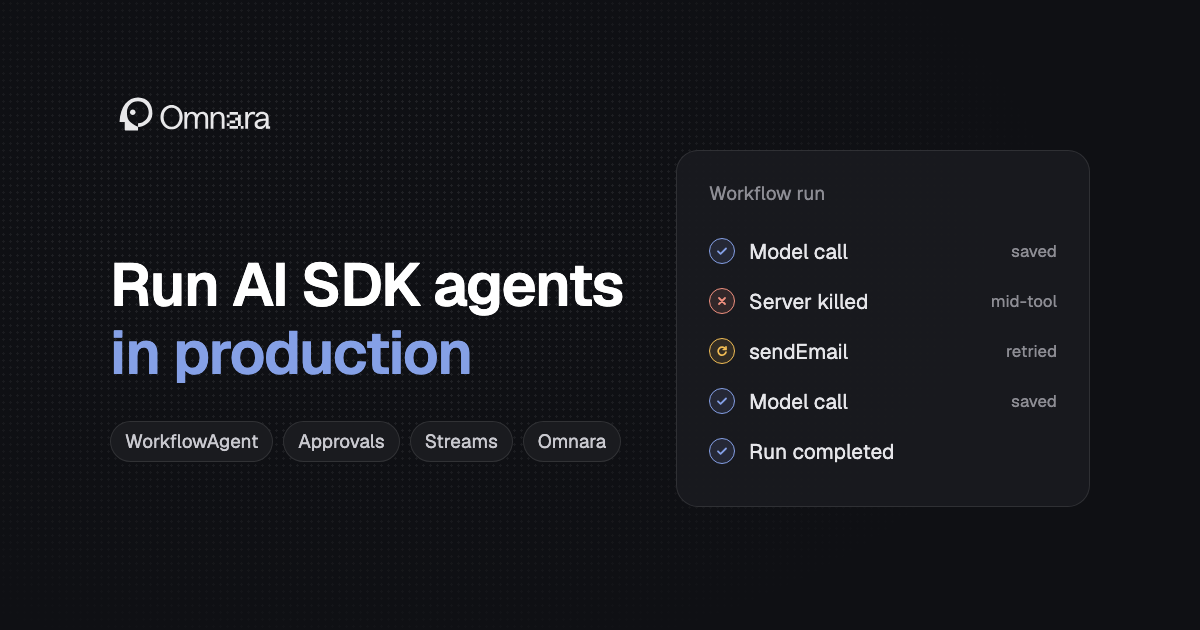
A crash in the middle of a tool. We killed the server three seconds into sendEmail and started it again. The run picked up about two seconds after the restart and finished. The model call before the tool wasn't repeated, since its result was saved, but the tool ran again from the top, so the file said "sent" twice. That's the at-least-once retry the docs warn about, and in production it's a second email.
A crash with a second server running. We started two servers on the same database and killed the one running the step. The other server stayed idle, and the run sat in running for the three minutes we watched. It finished once we restarted the killed server, again with two emails. The Postgres World only recovers stranded runs when a process starts, so on a cluster, a crashed instance's runs wait for the next restart or deploy. The dead process's queue jobs also stayed locked in the database after their runs finished.
An approval. We asked for deleteRecord. Within two seconds the run's status was completed, with a tool-approval-request at the end of its messages and nothing waiting in the database. To approve, we started a new run with those messages plus an approval we wrote by hand with curl. It was accepted, and the record was deleted. So with WorkflowAgent, as with ToolLoopAgent, the pending approval is part of the conversation you save, and anyone who can send that conversation can approve unless you set experimental_toolApprovalSecret. What WorkflowAgent adds is that the steps before the approval are saved and don't run again.
For a run that actually waits for a person, the Workflow SDK has hooks: a tool can create one and wait for days. The docs note that a hook token "is not an authentication mechanism," so check who's calling before you resume it.
A deploy in the middle of a run. We killed the server during sendEmail, changed the tool's code, rebuilt, and restarted. The run finished on the new code. On Vercel, runs stay on the deployment that started them, but the Postgres World has no such pinning, so changes to step code have to work for runs already in flight.
Streams. We read a run's stream for four seconds, disconnected, and reconnected from the last chunk. All 30 chunks arrived once, in order. Then we killed the server five seconds into the model's answer. After the restart, the model call ran again from the start. The saved message was correct, but the stream kept both attempts: 41 chunks, with a reset-step marker before the retry. useChat drops the cut-off attempt when it sees that marker, so the chat looks right. Anything else that reads the stream, like a Slack bot or a webhook relay, gets the start of the answer twice unless it handles reset-step too.
On Vercel
Workflow pricing has three parts: $0.02 per 1,000 events, $0.50 per GB of data written, and $0.50 per GB-month retained. A normal step makes three events, and each retry adds one, so a run with ten steps is about 33 events, well under a tenth of a cent. Hobby includes 50,000 events and 1 GB written a month, and Pro has no Workflow allowance beyond its $20 monthly credit. On top of that, steps run as functions: CPU billing pauses while a step waits on the model, but memory is billed for the whole wait. Workflows also use Vercel Queues, billed separately.
The limits that matter most for agents:
- A run can have 25,000 events. Past that it fails with
MAX_EVENTS_EXCEEDEDand can't be continued, and replay slows down after 2,000. A long chat should be a chain of runs, not one run per conversation. - A single step can't run longer than a function's maximum duration: 300 seconds on Hobby, 800 on Pro, or 1,800 in beta. Runs and sleeps have no time limit.
- After a run finishes, its inputs and outputs stay readable for 1, 7, or 30 days on Hobby, Pro, and Enterprise, and you can't delete a finished run's data sooner.
Runs are pinned to the deployment that started them, which keeps old runs on old code. A run whose deployment is deleted never finishes on its own and has to be cancelled and rerun, so long-lived chats should start each new run on the latest deployment with start(..., { deploymentId: 'latest' }).
One cost to watch: closing a tab doesn't stop the function serving a stream. Set supportsCancellation in vercel.json so abandoned streams stop.
On Your Own Servers
The Postgres World runs the Workflow SDK on your own infrastructure. It needs only Postgres: the job queue, graphile-worker, runs inside your app process, started from instrumentation.ts in Next.js. It needs long-running servers, not serverless functions.
Vercel is clear that it's a starting point. The docs call it a "reference implementation" that is "not optimized for scale, speed, or security," and recommend cloning and adapting it. Before you deploy it:
- Lock down the workflow routes. It ships with no authentication on
/.well-known/workflow/v1/flow, and anyone who can reach that route "can forge or replay a workflow or step invocation." Block it at your proxy or ingress. - Expect data in plain text. Inputs, outputs, approvals, and stream chunks are stored unencrypted in Postgres.
- Plan for recovery. As our test showed, stranded runs only recover when a process starts. Open issues also cover sleeps after a crash, two runs claiming the same hook, and a hook resume that's recorded but never wakes the run.
- Deploy carefully. Runs aren't pinned to a version, so a deploy changes the code under runs that are already going.
Other Ways to Make AI SDK Agents Durable
Several runtimes wrap AI SDK code you already have:
Inngest's step.ai.wrap makes model calls durable but doesn't stream yet. Ably AI Transport and Durable Streams fix the stream without running the agent, and Mastra and LangGraph JS are separate frameworks, so moving to them means rewriting the agent.
What You Still Build
Whichever runtime you pick, these stay with you:
- Users and tenants. Who can start an agent, read its history, and approve its tools.
- Credentials per user. Keep real keys out of tool inputs and model context, and decide which user's access each run gets.
- Message storage. The SDK stores nothing, so you save messages, generate IDs on the server, and validate what the client sends back.
- Approval security. Sign approvals with
experimental_toolApprovalSecret, or check hook callers yourself. - Stop. An endpoint that cancels the run (
run.cancel()for workflows) and saves the partial answer. - Spend limits and usage. Caps per run and per user, and usage that's recorded even when a stream is aborted.
- Idempotency. A way for tools with side effects to check whether they already ran, since retries repeat them.
- Telemetry settings. Once you register a telemetry integration, prompts, outputs, and tool data are recorded unless you turn that off.
How Omnara Handles the Same Job
Omnara is an open-source (Apache 2.0) agent platform. Instead of a library inside your app, it's a service with an API: your app creates an agent for each user or chat, sends it messages, and reads its events through the TypeScript SDK or plain HTTP. Omnara runs the agent loop, so a crash or deploy in your app doesn't interrupt a run.
These pieces from the last section come with it:
- Approvals that wait. A tool set to
always_askpauses the agent, saved in Postgres, until someone answers in your app, the dashboard, Slack, or Discord. The run doesn't end, and answers go through the authorized API, not the message history. - Your own tools. A custom tool is declared in the agent's config and runs in your code: your worker picks up the call and posts the result. While it works, "the agent simply waits, and nothing is lost," even if your worker restarts.
- Streams that resume. Every saved event has a sequence number. Reconnecting with
Last-Event-IDsends everything after it, andopenAgentEventStreamin the SDK reconnects on its own. Live text previews aren't saved, and the completed response replaces them, so a retried model call doesn't show up twice. - Stop on the server. Stopping an agent cancels its current work and any open approvals.
- Users and secrets. Organizations, projects, and roles, API keys, and encrypted secrets.
- Schedules and webhooks. Cron triggers, and signed event webhooks with retries.
Crashes work differently too. A worker holds each agent with a lease and saves progress to Postgres. If it dies, the lease expires and another worker continues, so a crashed server doesn't leave runs waiting for the next restart. A model call that was cut off is retried from the start. A tool call that was running when the worker died isn't run again: it's marked failed with "its external outcome is unknown," and the model decides what to do next.
On Omnara Cloud, there's nothing to run, and the platform is free with your own model keys and machines. Self-hosting runs on Postgres, Redis or Valkey, S3-compatible storage, and a shared filesystem, with stateless workers you add as load grows.
WorkflowAgent is the better fit in a few cases. The loop is your own TypeScript, so prepareStep, custom stop conditions, and code between steps are easy, while Omnara's loop is configured, not written. It plugs into useChat and AI SDK UI directly, and Omnara has no AI SDK integration today, so you render its events yourself or write a ChatTransport for them. And if you're already on Vercel, it's one more package, not another service.
WorkflowAgent vs Omnara
What "Durable" Does and Doesn't Promise
Both keep a run going after a crash, and neither picks up in the middle of a model's answer: the call starts over. Both need you to protect tools with side effects. The Workflow SDK reruns an interrupted step, which in our test meant a second email. Omnara doesn't rerun it, but the model can still call the tool again after hearing the outcome is unknown. Either way, give a tool that sends or changes something a way to check whether it already did, like an idempotency key your provider honors. The Pi Durable guide walks through a real case where a retried Gmail call left two drafts.
Which One to Pick
Use ToolLoopAgent for short replies where a lost answer can be regenerated, and save the messages. Use WorkflowAgent on Vercel when runs need to outlive a request and you want the agent loop in your own code: set a step limit, make side-effect tools idempotent, and plan long chats as chains of runs. Treat the Postgres World as a starting point you harden, with authentication on its routes, a way to recover runs from crashed instances, and deploys that don't change code under live runs.
Pick Omnara when you're building agents for customers or teams and want approvals that wait, users and roles, schedules, and webhooks from the start, or when you need agents in your own cloud across several servers without building the recovery yourself. For how frameworks, harnesses, and platforms fit together, see Four Ways to Build an AI Agent.
FAQ
What's the difference between ToolLoopAgent and WorkflowAgent?
Both run the same agent loop. ToolLoopAgent runs it in your server's memory, so a crash or timeout loses the run. WorkflowAgent runs it on the Workflow SDK and saves each model call and each 'use step' tool as a step, so a run can resume after a crash, a deploy, or a timeout.
Does the Vercel AI SDK support durable agents?
Yes, through WorkflowAgent in @ai-sdk/workflow, which runs on Vercel's Workflow SDK. On Vercel it uses Vercel's managed backend, and elsewhere the Postgres World or a community backend.
How do I resume an AI SDK stream after a page refresh?
With ToolLoopAgent, set resume: true in useChat and build the resumable stream endpoints with Redis and the resumable-stream package. That survives a refresh but not the producing function crashing. With WorkflowAgent, use WorkflowChatTransport, which reconnects to the run's saved stream from the last chunk.
Can the AI SDK wait for human approval?
It can stop for one. Both agent classes end the current call at an approval and continue in a new call with the answer added to the messages, so you save the pending request. For a run that waits on the server, use a Workflow hook inside a tool. Sign approvals with experimental_toolApprovalSecret, since the client sends the message history.
Can I run WorkflowAgent without Vercel?
Yes. The Postgres World runs it on long-running servers with only Postgres, started from instrumentation.ts in Next.js or a Nitro plugin. Vercel calls it a reference implementation, so add authentication to its routes and plan for its recovery and versioning gaps.
How much does Vercel Workflow cost?
$0.02 per 1,000 events, $0.50 per GB written, and $0.50 per GB-month retained, plus function compute and Queues. A step is three events, so a ten-step agent run is about 33 events. Hobby includes 50,000 events a month.
Does stop() cancel the agent on the server?
Not by itself. stop() aborts the browser's request. Without resumable streams, the server stops only if you pass the request's abort signal to the model call and, on Vercel, enable supportsCancellation. With resumable streams or WorkflowAgent, build a stop endpoint that cancels the run, such as with run.cancel().